Senior Editor: Alan Agbele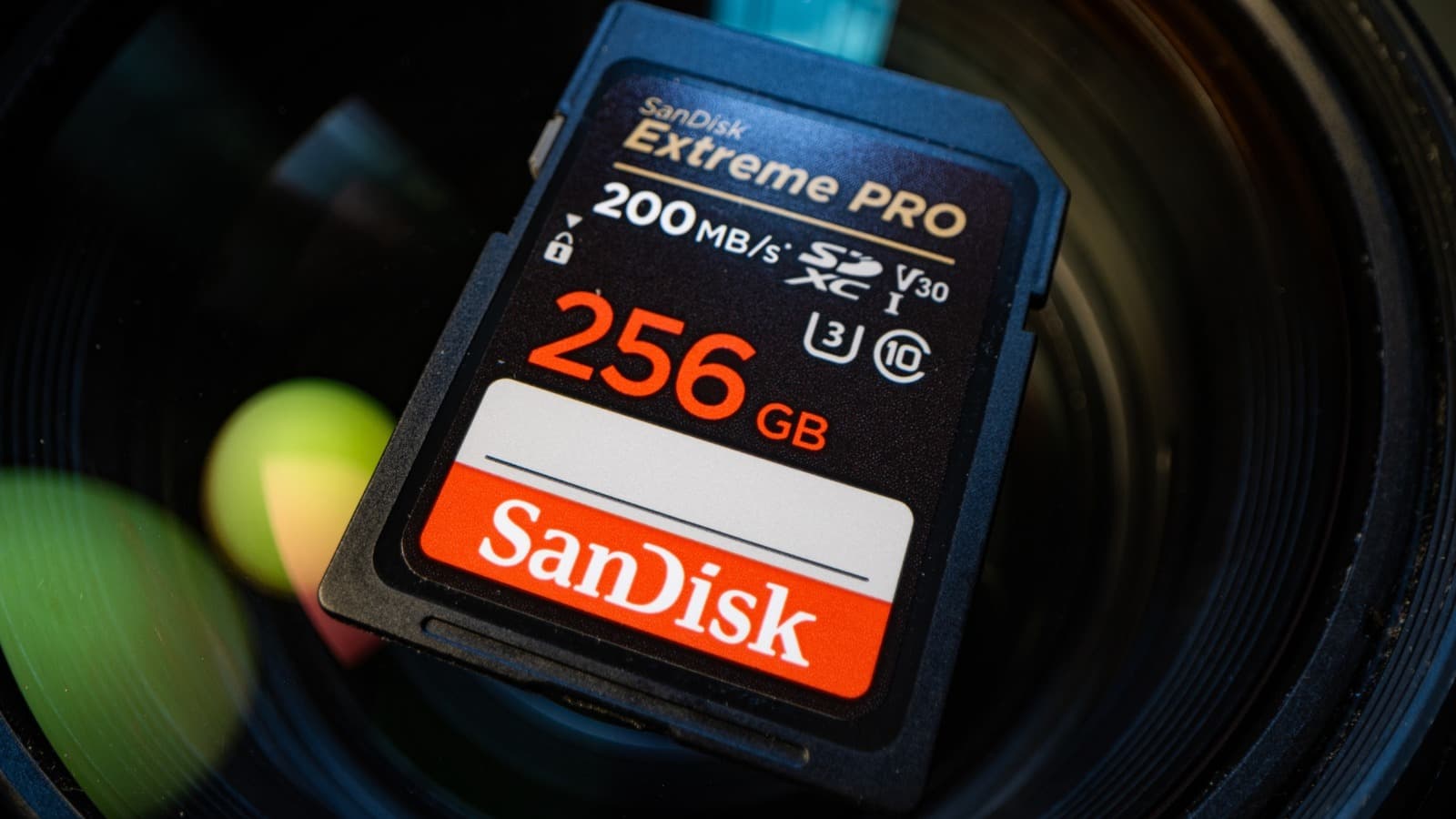
The tiny symbols printed on an SD card carry more weight than most shoppers realize. A single glance at those markings can determine whether a card will record 4K video without stuttering or fail mid-shoot. Yet many buyers treat them as decorative branding. That oversight leads to dropped frames, corrupted files and wasted money.
Why This Matters
Consumers increasingly shoot high-resolution video on smartphones, action cameras and drones. A card that meets the minimum write speed for 1080p may fail when switched to 4K. The symbols provide a universal language that transcends brand marketing. Retailers, however, rarely explain them at the point of sale. This knowledge gap pushes buyers toward either overpaying for unnecessary speed or underbuying and risking data loss. As device manufacturers push higher bitrates, the cost of ignoring these symbols grows.
The Core Symbols and What They Signal
Three main categories of markings appear on most SD cards. Each addresses a different performance dimension.
Capacity markings also matter. SDHC cards top out at 32GB, SDXC extends to 2TB and SDUC reaches 128TB. The file system changes with capacity, which affects compatibility with older devices.
How to Match Symbols to Real-World Use
Different tasks demand different minimum specifications. A card that works for a dashcam may choke on a cinema camera.
Buyers should also check the device manual for recommended specifications. A card that exceeds requirements wastes money. A card that falls short risks corrupted footage.
The Market Shift Toward Higher Speeds
Camera and smartphone makers are pushing bitrates upward. The iPhone 15 Pro records ProRes video at data rates that demand V60 or faster cards. Drones like the DJI Air 3 require V30 for 4K slow-motion. This trend makes older Class 10 cards obsolete for flagship devices. Retailers still stock them, however, because budget phones and older cameras remain in use. The result is a confusing shelf where identical-looking cards serve vastly different performance tiers.
Consumers who learn the symbols gain a practical advantage. They can spot a mislabeled card, avoid counterfeit products and choose the right card on the first try. That saves both time and money in a market where returns are common.