Editor: Porcia Akua Holmes
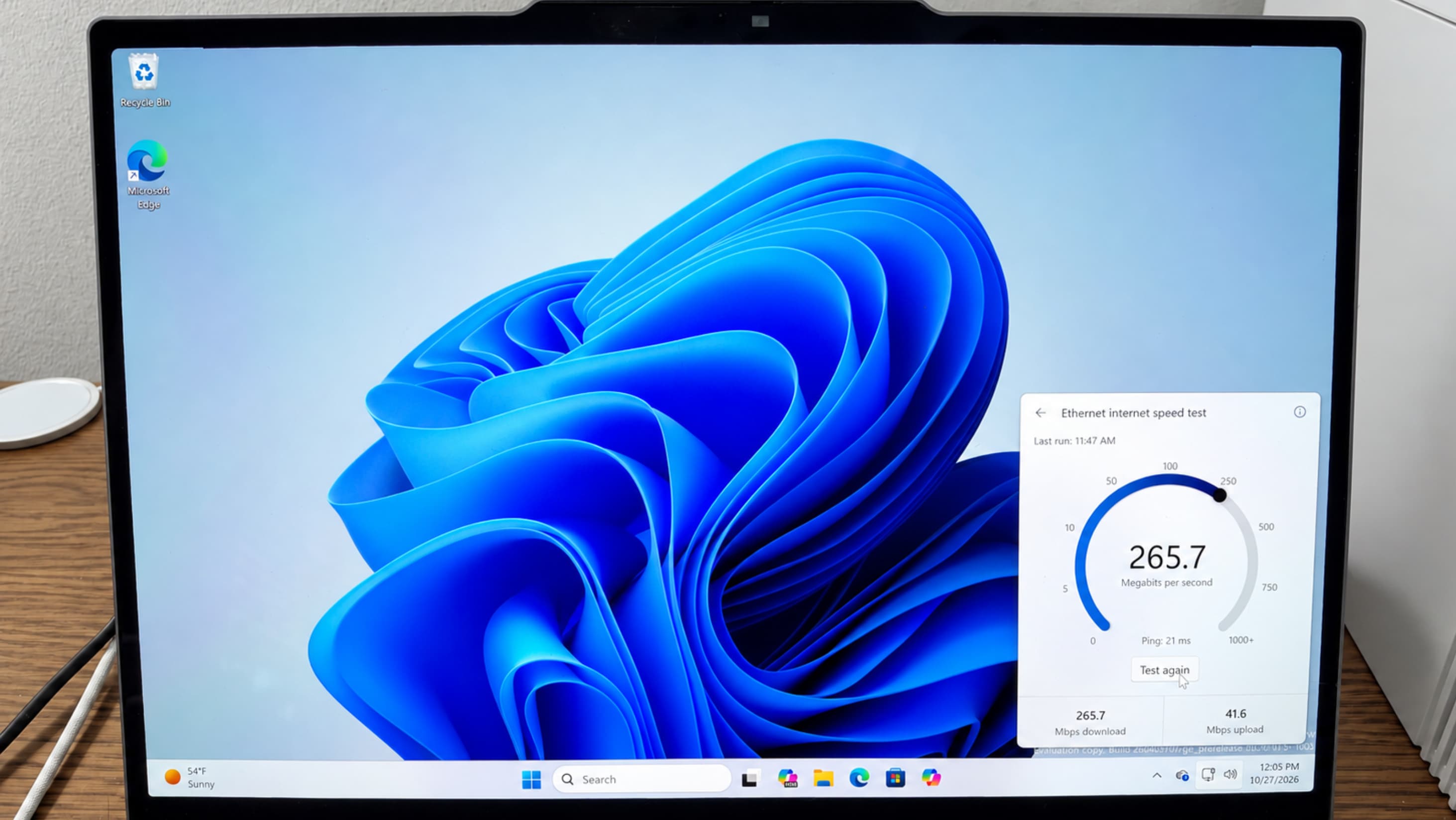
Windows users can now measure their broadband performance without leaving the operating system. Microsoft has built a native internet speed test directly into Windows, removing the need to open a browser tab or visit a third-party site to check download and upload throughput.
How the Native Tool Changes Everyday Troubleshooting
The practical appeal is speed of access. A built-in test removes the friction of remembering a URL, loading a page and dismissing ads or upsells that often surround free speed-test services.
That matters most when a connection fails at the worst possible moment. A user on a video call, a remote worker pushing files to the cloud or a gamer mid-match can run a check from the same device that is struggling, without switching context.
Where the Test Fits in Windows Diagnostics
Windows already ships with network troubleshooting wizards and adapter status panels. A speed test complements those tools by giving a plain-language throughput reading rather than an error code.
The feature also gives Microsoft a first-party data point when users report connectivity complaints. Support staff can ask for a native measurement instead of relying on whatever third-party site the customer happens to prefer.
The Competitive Stakes for Third-Party Speed Test Services
Speed-test websites have built large audiences on a simple promise: a number that tells you whether you are getting what you pay for. Embedding that function in Windows puts Microsoft in direct competition with those services for casual use.
Established players, however, are unlikely to disappear. Their value lies in server networks, historical logs and the ability to compare results across providers and regions, features a basic built-in tool may not match.
The competitive dynamic mirrors earlier shifts in which operating systems absorbed utilities that once required separate software. Built-in antivirus, disk cleanup and screenshot tools all followed this path.
Each absorption reduced the addressable market for standalone utilities while raising baseline expectations for what an OS should include. A native speed test follows the same logic.
Why This Matters
The change matters most for broadband subscribers who lack a simple way to verify their service. A native test lowers the barrier to checking whether a paid plan is delivering advertised speeds, which can strengthen consumers in disputes with providers.
Internet service providers, meanwhile, face a subtle shift. When customers can measure performance in one click, complaints become more evidence-based and harder to dismiss as user error.
For Microsoft, the feature is a small but telling addition to Windows' diagnostic stack. It reinforces the platform's role as the default place users turn when something on their machine misbehaves, including the network itself.
Third-party speed-test operators should watch adoption closely. If the built-in tool becomes the default habit, casual traffic may migrate away, leaving the specialists to compete on depth and historical data rather than convenience.