Senior Editor: Alan Agbele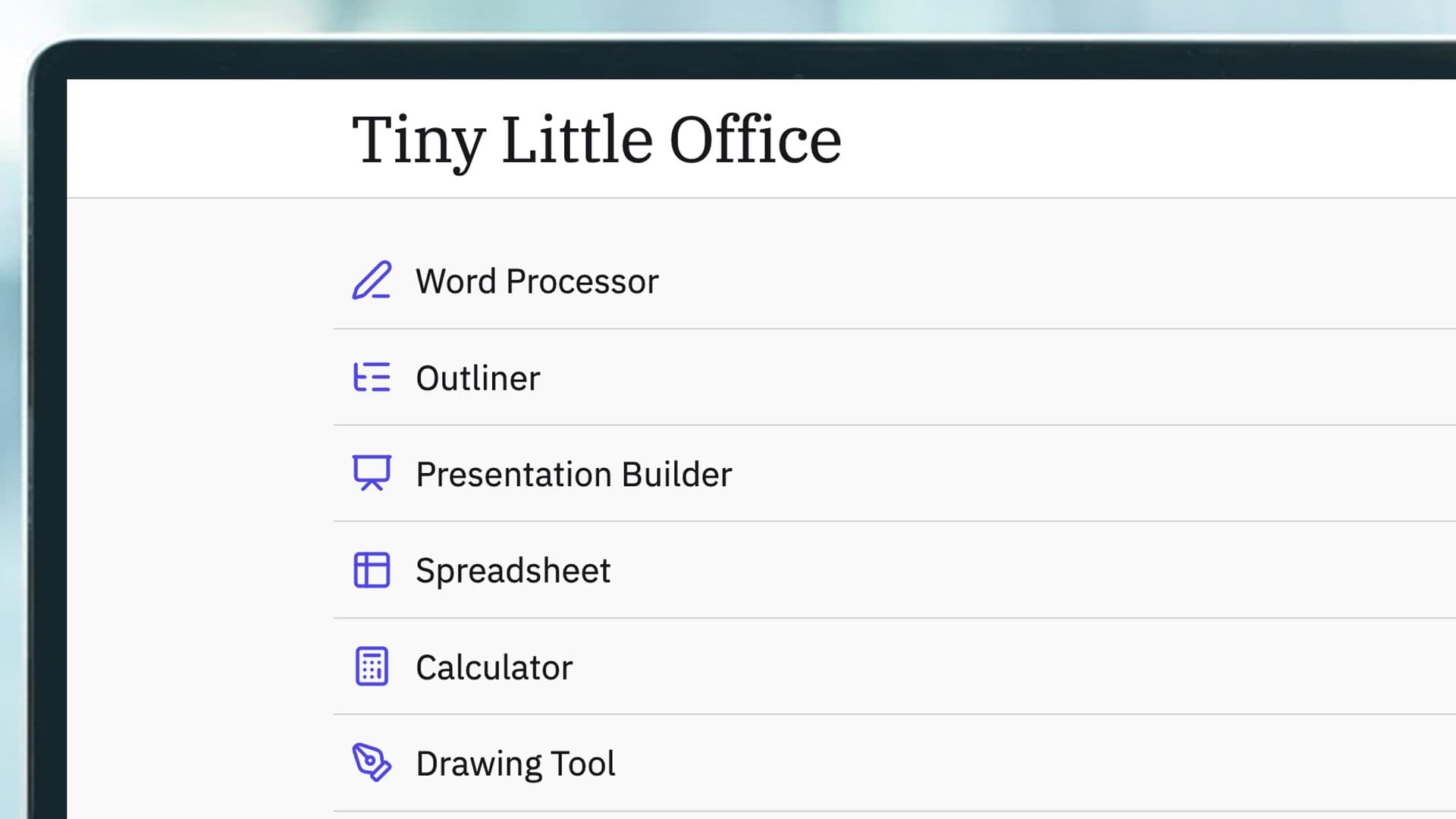
A veteran developer has released a free office suite that runs entirely in a browser tab and stores every document inside the link itself. The project, called Tiny Little Office, arrives from Paul Ford, a longtime software builder and technology thinker, and it requires no account, no installation and no cloud connection.
A Suite Built Around the Link
The suite bundles 10 separate components: a word processor, outliner, presentation tool, spreadsheet, calculator, drawing tool, diagram maker, animator, calendar and trip planner. Users can open any of them and start working immediately, without a sign-up screen or a download.
The organizing principle is unusual. Every change made to a file is saved as code inside the URL, so sharing that link shares an exact copy of the document. A recipient can open the URL and make their own edits, though those changes stay local and never sync back to the original.
Sharing controls add a layer of practical security. Links can be password-protected, set to read only or configured to expire after a period ranging from an hour to a month. For personal use, files can be saved locally in the browser, or the user can choose to wipe everything when the page closes.
Six Years From TinySheet to a Full Suite
The project did not start as a suite. Its origin traces back six years to Rich Ziade, a colleague of Ford, who built TinySheet, a ten-line spreadsheet that ran in the browser much the way Tiny Little Office does now. A TinyCalendar followed, but both efforts were eventually abandoned, along with the URLs tied to them.
The idea returned as a complete 10-app product because, in Ford's view, it really is easier to build small than ever before. He has said he uses the tool to leave himself notes in Slack and suggested that if Signal was an operating system, this could one day aspire to be its productivity suite, given its private and simple approach.
Ford has been candid about the tradeoffs. He noted that this is not how web apps are expected to work, that links can become unwieldy when pasted into chat and that users cannot upload video or images at all. Collaboration, he said, works less like Google Docs and more like handing out zines at a street fair.
Why This Matters
The release lands at a moment when AI-assisted coding has made it cheap to rebuild established software categories. Ford's own framing, that it is easier to build small than ever before, points to a shift in who can ship a functional product and how quickly they can do it.
For individual users, the appeal is concrete. Anyone who wants a quick spreadsheet or diagram without creating an account, accepting a subscription or trusting a cloud provider now has a free option that keeps data in the browser and in the link.
For the broader productivity market, the project tests whether a link-first model can compete with the account-first model that dominates the category. It will not replace Google Docs or Microsoft Office for teams that need real-time co-editing, but it offers a lightweight alternative for people who value privacy and simplicity over synchronization.
Developers, meanwhile, gain an open-source reference for building small, self-contained web tools. The code can be viewed and used by anyone, and the project includes support for LLM agents, a signal that AI tooling is being treated as a first-class integration rather than an afterthought.
What You Need to Know About the Build
The Tiny Little Office code is open source and publicly available on GitHub, where anyone can inspect or reuse it. The project also maintains a presence on Bluesky, where updates and documentation are posted.
How much of the suite was vibe coded remains unclear. According to documentation posted by Ford, Claude Code was doing at least some of the work, placing the project within a growing wave of software assembled with heavy AI assistance.
The project's limits are equally clear. There is no image or video upload, no real-time co-editing and no guarantee that a long URL will survive being pasted into a chat app. Those constraints define the audience as much as the features do.
Ford's experiment ultimately asks a simple question: how much office software does a person actually need, and how little infrastructure can deliver it? Tiny Little Office answers with a link, a browser and nothing else.