Editor: Porcia Akua Holmes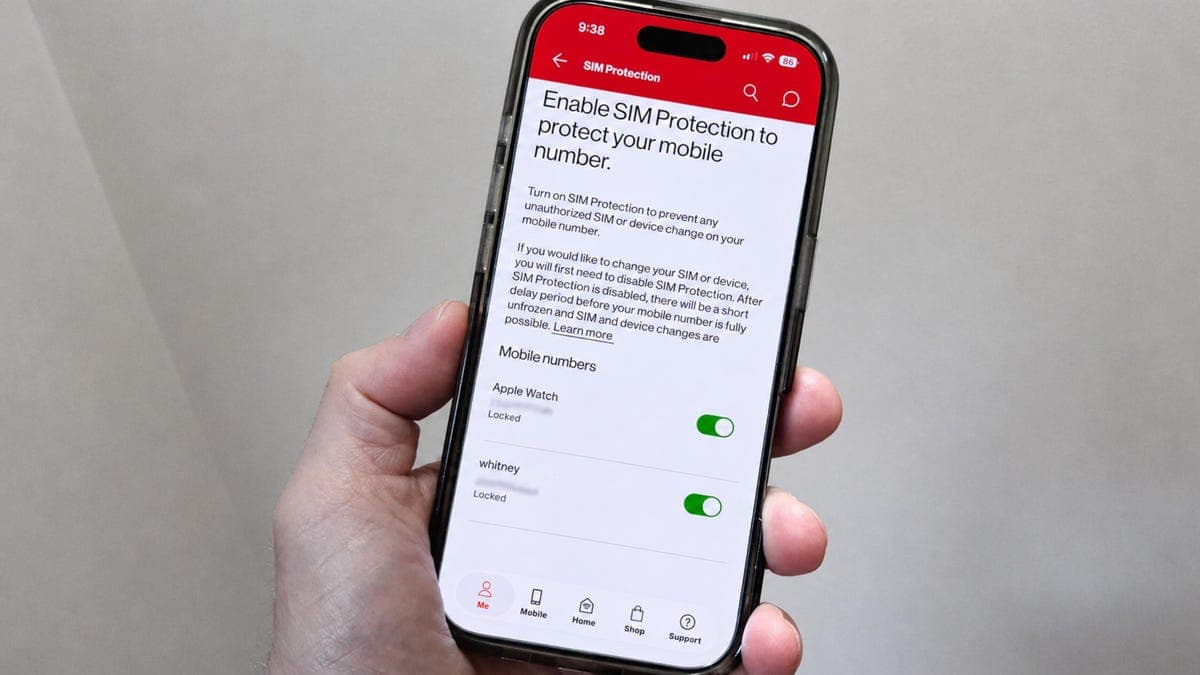
Your phone's default security settings leave it vulnerable to SIM swapping attacks, a growing threat that can bypass two-factor authentication and hand your digital identity to criminals. Carriers offer built-in protections, but they remain optional, meaning most users are unprotected until they take action.
How SIM Swapping Works
Attackers gather personal details through phishing or data breaches, then call your carrier pretending to be you. Once they successfully request a SIM transfer, your device loses service and the attacker receives all your calls and texts. Any account secured only by SMS codes becomes immediately accessible.
The technique has evolved from a niche threat into a widespread problem. The FBI reported a sharp increase in SIM swapping losses in recent years, with victims losing cryptocurrency, bank funds and social media accounts.
Why This Matters
The gap between carrier capability and default activation leaves millions of users exposed. As mobile number portability becomes faster, attackers exploit the same convenience. The financial and reputational damage from a successful swap can take months to undo. Regulators have pressured carriers to tighten procedures, yet the burden of enabling protections remains on customers. Turning on these settings now is the only reliable way to prevent an attack before it happens.
Turn on Your Carrier Protections Now
Each major carrier offers a distinct method, but all require you to locate the security section of your account. The process takes less than five minutes and applies immediately. Do not rely on your phone's operating system. Neither iOS nor Android blocks carrier-level SIM transfers. The responsibility falls entirely on the subscriber.
Security experts recommend combining carrier locks with authenticator apps and hardware keys. SMS codes, even paired with a locked SIM, are weaker than dedicated authentication tools. But starting with carrier-level protections is the first and most accessible layer of defense.