Senior Editor: Alan Agbele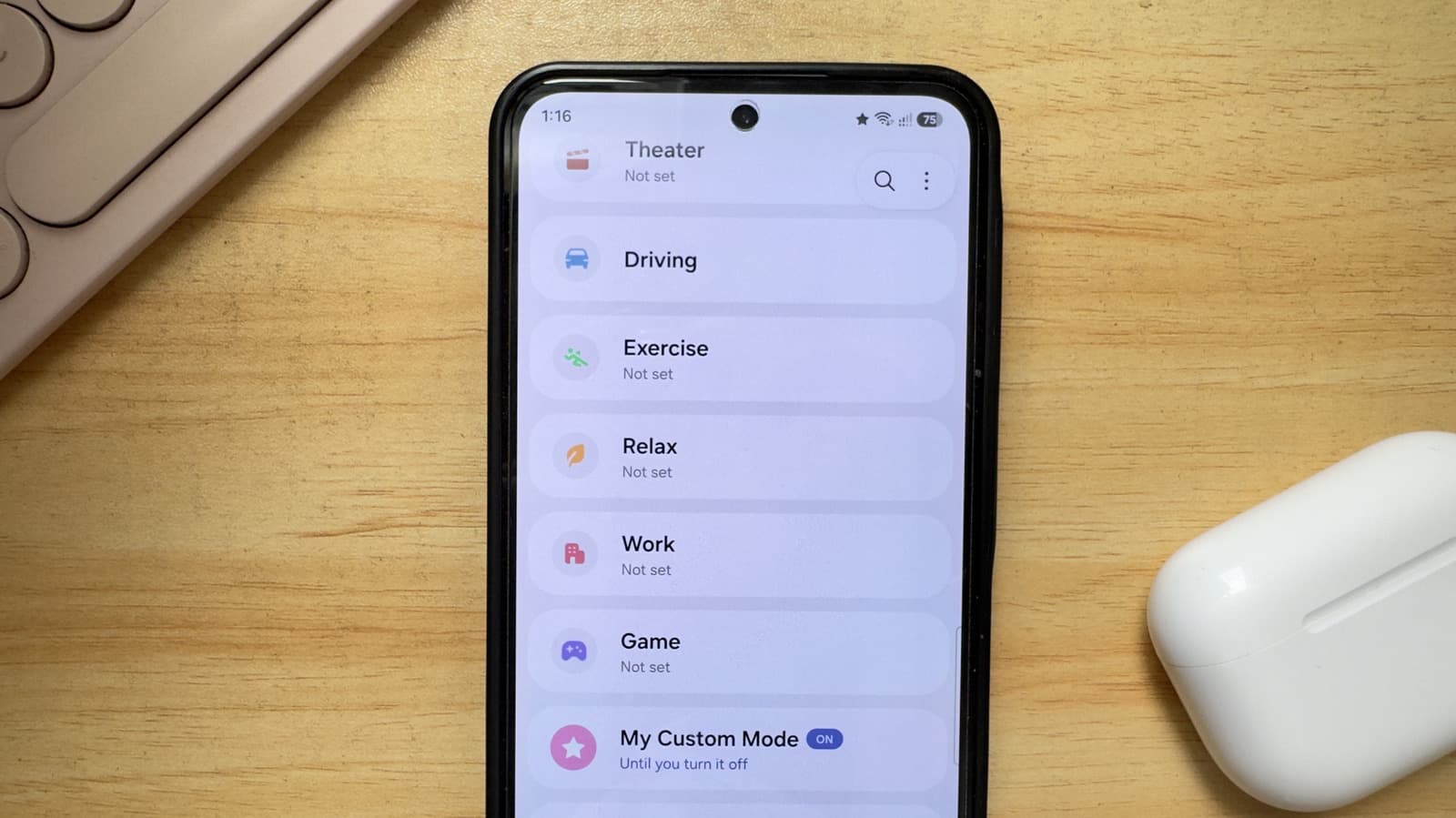
Samsung has introduced a new level of personalization for its Android phones with a feature that lets users create custom automated settings for different scenarios. The tool, known as 'You Can Easily Make Custom Modes On Your Samsung Phone', is part of the latest One UI update and gives users the ability to tailor their device's behavior without manual adjustments.
How Custom Modes Work
Users can create modes such as Work, Sleep, Exercise, or Driving from the One UI settings menu. Each mode can trigger a combination of actions: silencing notifications, changing the wallpaper, launching specific apps, or adjusting screen brightness. The modes can be scheduled to activate at certain times or tied to location using the phone's GPS.
The system is designed to reduce friction: instead of manually toggling settings several times a day, users set up a mode once and let the phone handle the rest. Samsung has also included a default set of modes for common scenarios, though users can edit or delete them.
Why This Matters
Custom Modes represent a shift in how smartphone manufacturers approach user experience. Rather than offering a one-size-fits-all interface, companies like Samsung are betting on adaptive software that learns and responds to context. For users, this means fewer distractions and a more seamless transition between different parts of the day.
The feature also has practical implications for productivity and digital wellness. By automating boundaries between work and personal time, Custom Modes can help users maintain focus and reduce screen time. Businesses that issue Samsung Android devices to employees could use the feature to enforce device policies during work hours, though Samsung has not promoted enterprise use cases.
Competitors have taken similar paths. Apple's Focus modes, introduced with iOS 15, allow iPhone users to filter notifications and home screens based on activity. Google's Digital Wellbeing offers app timers and Wind Down mode. Samsung's approach stands out by tying modes to physical triggers like location and by offering deeper integration with its own apps, such as Samsung Health and Bixby routines.
Availability and Setup
Custom Modes are available on Samsung Android phones running One UI 5.1 or later, which includes the Galaxy S23 series, Galaxy Z Fold 5, and recent Galaxy A series models. The feature is accessible from the Quick Settings panel or the Modes and Routines app. Users can create a new mode by selecting a trigger condition and then assigning actions, with no coding or third-party apps required.
For those who want even more control, Samsung also offers Bixby Routines, a more advanced automation tool that supports conditional logic and multiple triggers. Custom Modes are positioned as a simpler entry point for most users, while Bixby Routines cater to power users.