Editor: Porcia Akua Holmes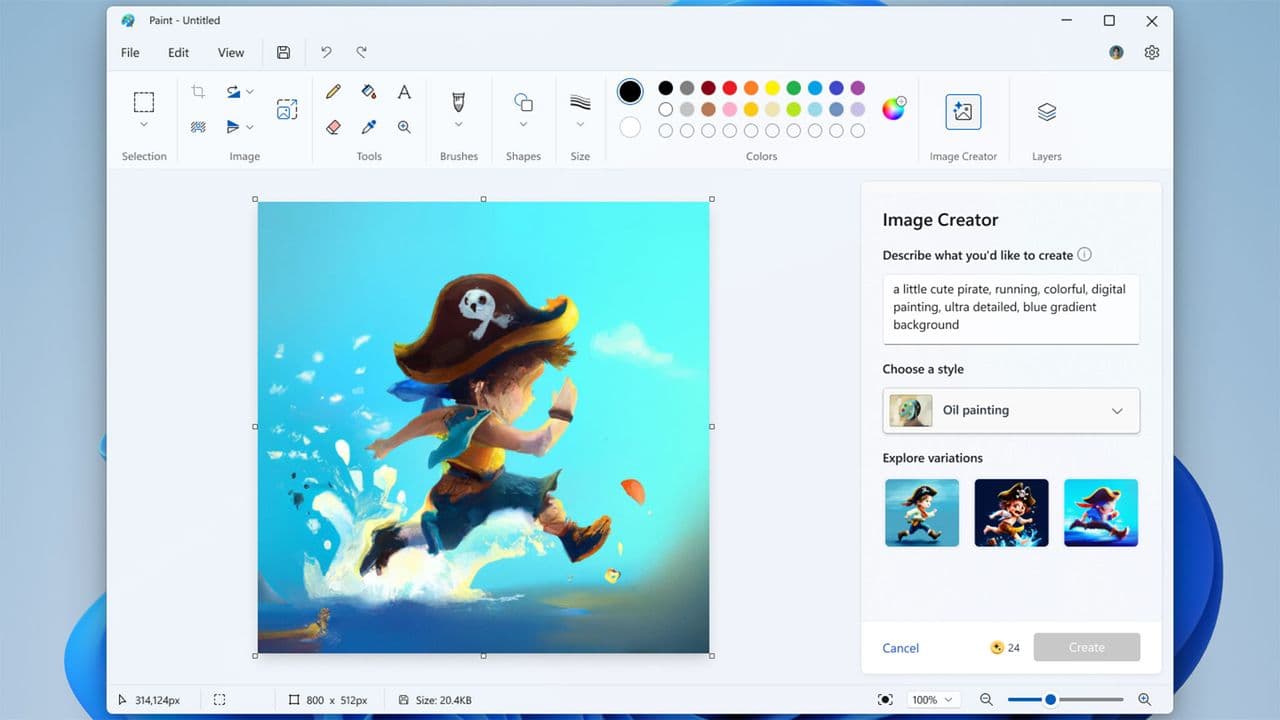
Microsoft Paint and Photos now embed a hidden GUID watermark into every AI-generated image, a developer discovered. The invisible identifier goes beyond the visible Copilot logo that already marks AI-assisted creations. Developer Xusheng Li reverse engineered the Windows apps and found that the watermarking is mandatory for Paint, forcing generation to abort if the process fails.
How the Watermark Works
Li found that the AI image features in Paint rely on local ONNX model files. Four files were discovered in the app path: one standard ONNX model and three encrypted ONNX-like models. Once decrypted, they revealed a DLL called watermarker.dll. The file included two key functions: AddPerceptibleWatermark, which places the visible Copilot logo, and WmkWriteWatermark, which embeds the invisible GUID watermark. The developer used AI to analyze the DLL after noticing its unusual size.
The invisible watermark mixes a server-issued GUID into the image pixels. Paint also attaches C2PA Content Credentials through ProvenanceHelper.dll, backed by provenancesdk.dll. These credentials provide metadata that can verify the image's origin.
Server Moderation and Local Processing
Even when image generation runs locally on the device, Li found that the prompt is sent to Microsoft servers for moderation. The GUID watermark is issued by the server, ensuring traceability beyond the local environment. This design means Microsoft retains a link between the user, the prompt and the generated image through the GUID. The invisible watermark is not optional in Paint; the generation pipeline enforces its presence. In Photos, however, the same GUID mechanism exists but behaves differently: if the watermarking fails, Photos returns the image and logs an error instead of aborting.
Why This Matters
The mandatory invisible GUID watermark creates a direct link between a user and their AI-generated content. This goes beyond typical content authenticity labels. The GUID could potentially be used to trace images back to the originating Microsoft account, raising privacy concerns for users who generate images locally. The system aligns with Article 50 of the EU AI Act, which requires detectable machine-readable marks on AI-generated content. However, the act does not mandate prompt-specific GUIDs. This implementation goes further than what transparency regulations require, giving Microsoft a persistent identifier embedded in every AI image created through Paint or Photos. Users have no way to disable the watermark or prevent the GUID from being recorded. The system also sends prompts to Microsoft servers regardless of where generation occurs, adding another layer of data collection. For journalists and content creators, this watermark provides a verifiable chain of custody for AI image provenance, but it also reinforces the central role Microsoft plays in monitoring AI use on its platforms.