Senior Editor: Alan Agbele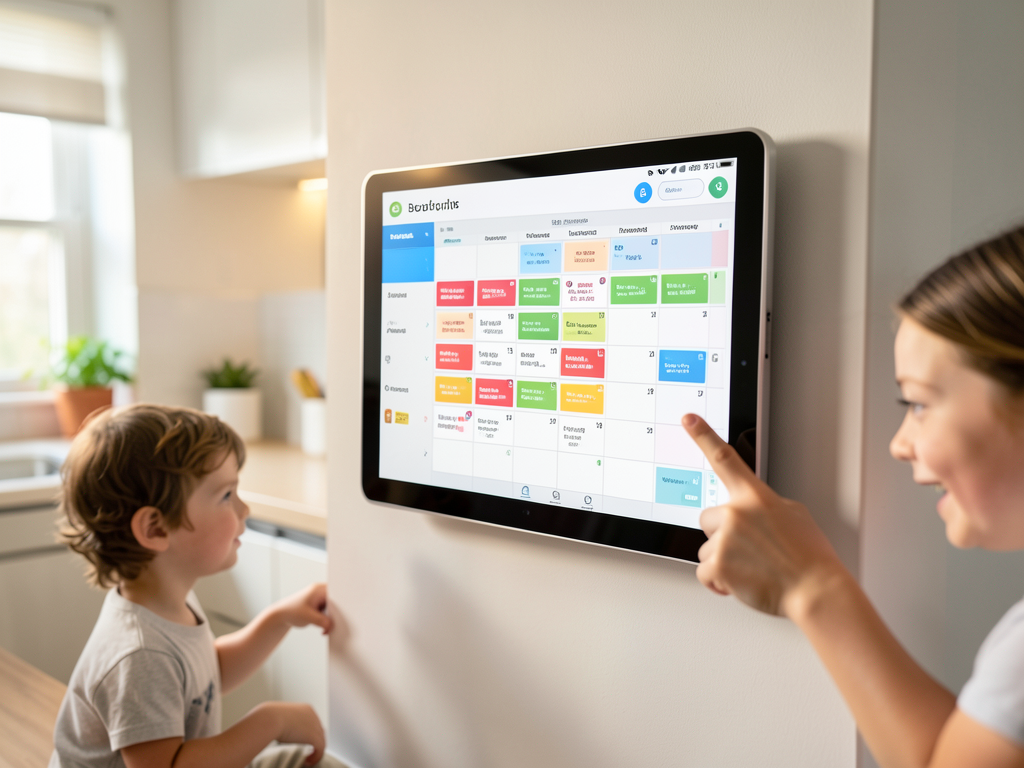
Digital wall calendars have quietly become a fixture in modern homes. Once viewed as novelty screens that clutter walls, these dedicated displays now serve as central command centers for family schedules, grocery lists and work deadlines. The category is growing fast enough that even skeptics are taking notice.
The Shift From Paper to Pixels
Early digital calendars required constant syncing and often felt like overpriced digital photo frames. That has changed. Newer models from companies such as Skylight, Everblog and Apolosign offer seamless integration with cloud services like Google Calendar and Microsoft Outlook. They update in real time and support multiple user accounts, making them practical for households with busy parents, students and remote workers.
Traditional paper calendars still hold sentimental value, but they cannot handle dynamic changes. A canceled dentist appointment, a last-minute meeting or a school closure forces a rewrite. Digital wall calendars eliminate that friction. They reduce administrative overhead and cut down on messaging within families.
Why This Matters
The rise of digital wall calendars reflects a broader shift toward ambient computing. Devices that sit in the background and serve a single simple purpose are finding homes beyond the office. For families, the benefit is tangiable: fewer missed events, less verbal back-and-forth and a visual anchor for the household's rhythm.
Businesses and schools also see value. Cafeterias, break rooms and lobby areas now use these screens to post menus, announcements and shift schedules. The market, valued at roughly $200 million in 2024, is projected to grow as prices drop and integration deepens.
Key Distinctions in the Market
Not all digital wall calendars are equal. Buyers should understand three core differences before choosing:
These distinctions matter for long‑term satisfaction. A device that clashes with a family’s existing calendar system will likely end up unused.
Privacy and Security Considerations
Because these devices display private family schedules, security is a valid concern. Most digital wall calendars connect to cloud servers to fetch updates. That creates a potential attack surface if the device lacks encryption or firmware updates.
Reputable vendors now offer encrypted connections, remote wipe capabilities and guest modes. Users should change default passwords and disable features they do not need. As with any connected gadget, the trade‑off between convenience and privacy deserves a conscious decision.
The digital wall calendar category is no longer a fad. It is a response to the increasing complexity of modern life. For families tired of juggling multiple apps and sticky notes, a dedicated screen on the wall offers a simple solution that works. And that quiet utility may be exactly why it has finally earned a permanent spot in the home.