Senior Editor: Alan Agbele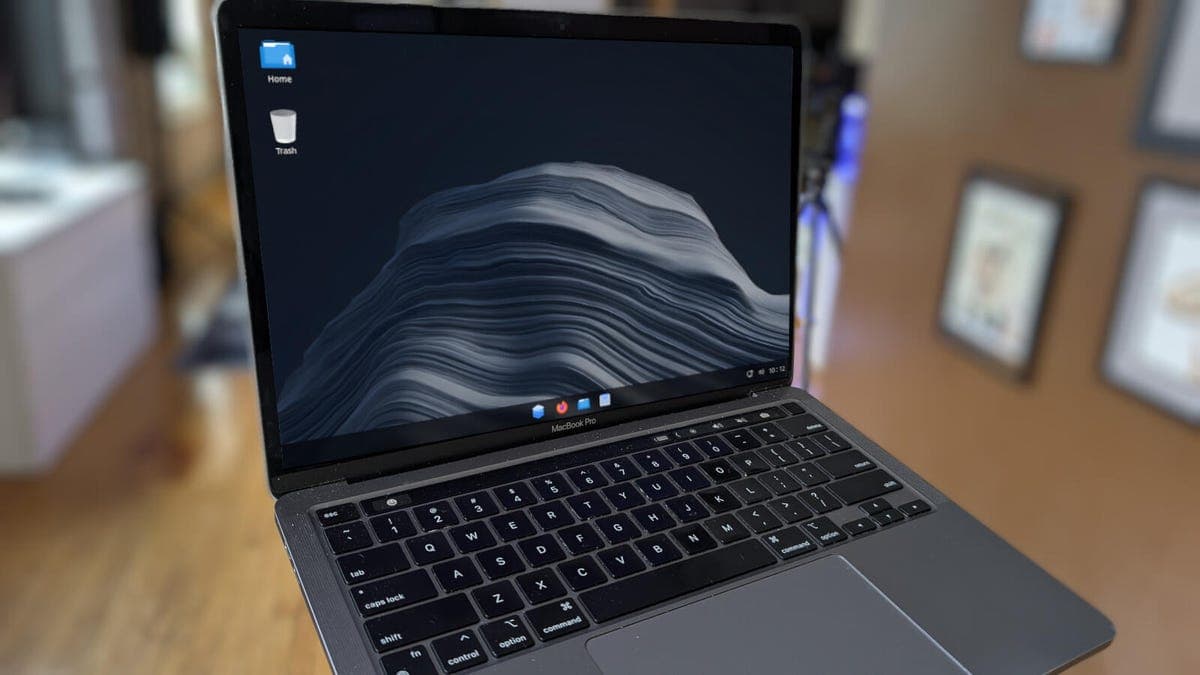
Switching from Windows to Linux has long required patience and technical know-how. A new distribution called AnduinOS 2.0 aims to remove that barrier by offering a familiar interface and genuine performance improvements. Built on Ubuntu, the distro is designed for users who want to leave Windows behind without learning an entirely new way of computing.
A Familiar Interface for Newcomers
AnduinOS 2.0 arranges its desktop to closely resemble Windows 11. The taskbar, start menu and system tray all follow Microsoft's layout conventions. This design choice means users can begin working immediately rather than hunting for basic functions. Unlike simple reskin projects, AnduinOS implements these features at the system level for better stability and speed.
Built on Ubuntu's Foundation
Under the hood, AnduinOS runs on Ubuntu, one of the most popular and well-supported Linux bases. This gives users access to Ubuntu's massive software library and long-term support updates. The distro's developers describe their work as "true distro engineering" rather than superficial theming. The result is a system that feels lightweight and responsive even on older hardware.
Privacy and Performance as Pillars
The developers emphasize privacy as a core goal. AnduinOS does not include telemetry or ad tracking by default, a sharp contrast to Windows 11's data collection practices. Early testing shows faster boot times and lower memory usage compared to standard Ubuntu. These improvements come from selectively disabling unnecessary services and optimizing system processes.
Why This Matters
Windows 11's strict hardware requirements and growing data collection have pushed many users to explore alternatives. Until now, Linux distributions often felt foreign or required significant configuration. AnduinOS directly addresses this friction by presenting a Windows-like environment that works out of the box. For enterprise IT departments managing end-of-life Windows 10 machines, a drop-in Linux alternative with familiar UX could reduce migration costs. For individual users, it offers a practical path to a more private and efficient operating system without retraining muscle memory.
Who Should Try It
AnduinOS 2.0 is best suited for power users who want control over their OS but dislike the Linux learning curve. It also appeals to privacy-conscious users and anyone running older PCs that cannot upgrade to Windows 11. The distro is free to download and install, with no paid tiers or feature gates. However, users who rely on Windows-specific software like Adobe Creative Suite or certain games should check compatibility first, as Wine and Proton support varies.