Senior Editor: Alan Agbele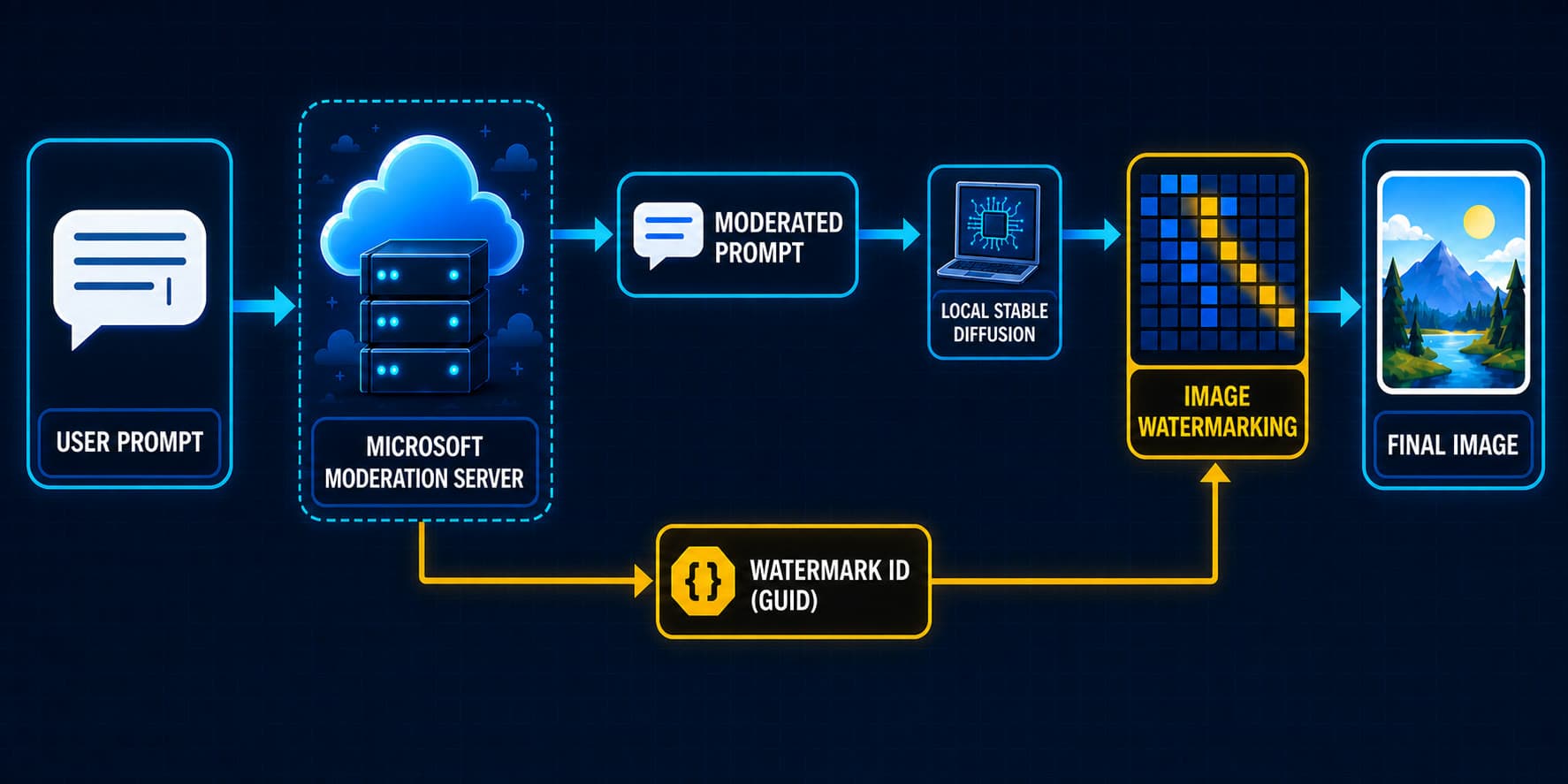
Microsoft has quietly introduced a feature that embeds invisible watermarking into images created by its Photos and MS Paint applications, even when the output is saved directly to the local hard drive. The watermark includes a Globally Unique Identifier (GUID) that could potentially trace the origin of the file. User comments on online forums have highlighted this change, sparking debate about the implications for privacy and user control.
How the Watermark Works
The watermark is generated automatically when an image is saved from the Photos or MS Paint application. It is embedded in the metadata of the file and is not visible to the naked eye. The GUID is a unique string of characters that could, in theory, be linked to a specific user account or device. Technical analysis by users suggests the watermark is applied to all locally saved output, including screenshots and edited images.
This marks a shift from previous behavior where locally saved files carried no such identifiers. The change appears to be part of a broader update to Microsoft's imaging components, though no official announcement has been made. The watermark persists even when files are renamed or moved to other folders, making it a persistent marker.
Privacy and Security Implications
The addition of hidden identifiers to local files raises several concerns. At its core, it undermines the expectation that actions taken entirely on a local machine remain private. If the GUID can be tied to a Microsoft account, it could create a chain of evidence linking a user to specific content.
Comments on discussion boards have criticized the lack of user control over this feature. Unlike cloud-based services where watermarking might be expected for copyright enforcement, local file creation has traditionally been free of such markers.
Why This Matters
This change strikes at the boundary between local computing and cloud-like surveillance. If Microsoft can embed GUIDs into local output from its apps, it sets a precedent for other software to do the same. For journalists, activists and anyone handling sensitive images, the hidden identifier could pose a risk if files are later exposed. The move also invites regulatory scrutiny under privacy frameworks that emphasize user consent and data minimization. Ultimately, this is not just a technical quirk but a quiet expansion of tracking into the one space users thought was still private: their own hard drive.
What Users Can Do
For those who want to avoid the watermark, the simplest workaround is to use third-party image editing tools that do not embed such metadata. Another option is to strip metadata after saving using dedicated cleaners. Users can also disable automatic updates or provide direct feedback to Microsoft through the Feedback Hub. The broader lesson is to verify file metadata for any application that handles sensitive output.