Editor: Porcia Akua Holmes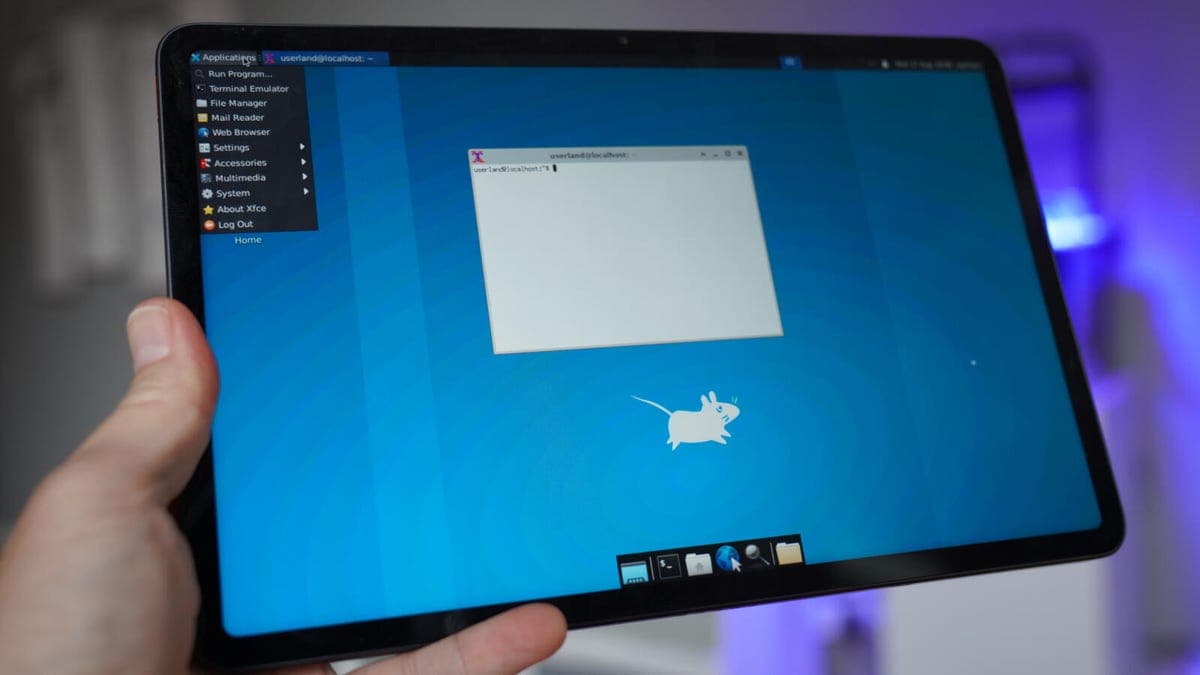
If you want to run a full Linux distribution directly on your Android phone, you no longer need a rooted device or complex terminal commands. A free app called UserLAnd has simplified the process enough that anyone comfortable with basic setup steps can launch Ubuntu, Debian or Kali Linux alongside their mobile apps. This development opens up serious desktop-level computing on hardware millions already carry in their pockets.
How UserLAnd Works
UserLAnd installs a minimal GNU/Linux filesystem onto your device and launches it within a secure session. You choose a distribution when setting up, set a username and password, and then connect to the session either through the built-in SSH client or a third-party VNC viewer for a full desktop interface. No root permissions are needed because everything runs in user space, which also keeps your phone’s warranty intact.
Why This Matters
The ability to run real Linux environments on a phone transforms what users can accomplish away from a laptop. Developers can compile code, run scripts, manage servers and test applications from anywhere. Students with limited budgets can turn an older Android handset into a portable Linux machine for learning programming or system administration. For professionals who rely on command-line tools, this closes the gap between a phone and a secondary workstation.
Considerations Before Installing
Running a full Linux distribution inside Android does place demands on hardware. Large package installations can consume significant storage, and sustained compilation tasks may drain the battery faster than normal app usage. The graphical experience through VNC is functional but not smooth enough for video editing or gaming. Touch input works best with a Bluetooth keyboard and mouse connected.
Despite these limits, UserLAnd stands out as the most accessible method for bringing desktop-class Linux capabilities to Android phones today. For anyone who has ever wished their smartphone could double as a development tool, this option is worth trying.