Senior Editor: Alan Agbele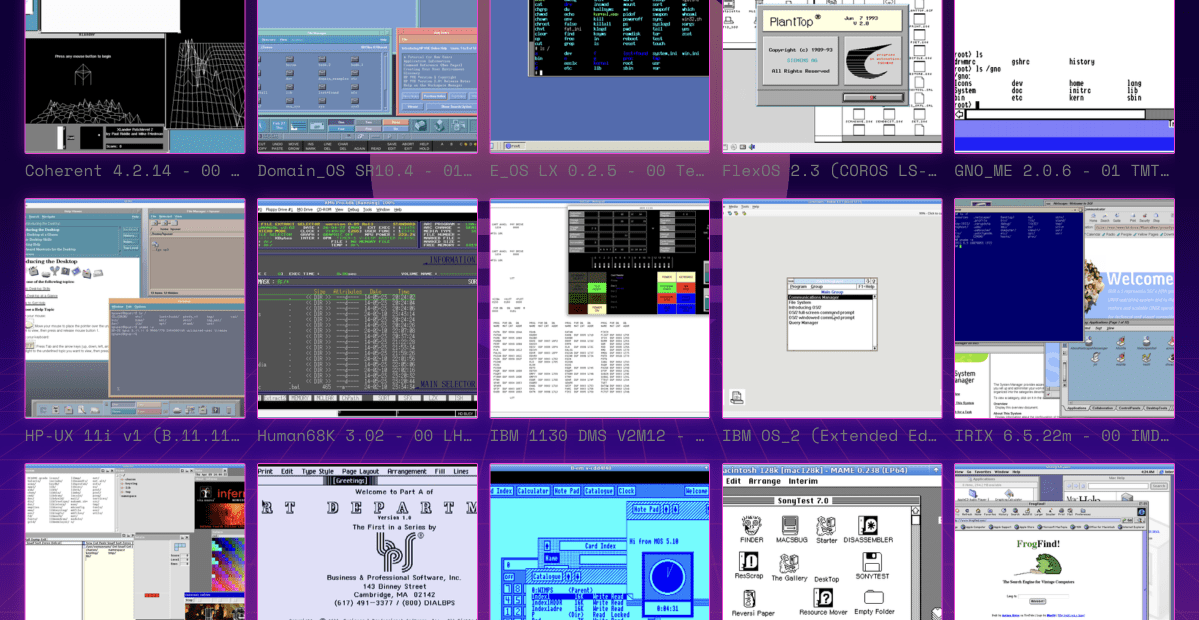
Andrew Warkentin has spent more than two decades building something most people never knew they needed, a digital archive of over 600 operating systems. His Virtual OS Museum lets anyone download and run these historic systems through emulation on a modern desktop.
The collection includes more than 1,700 distinct installations covering over 250 platforms. It starts with the Manchester Baby from 1948, widely recognized as the first stored-program computer, and extends to early Android builds from 2011.
A one-man project
Warkentin is a developer and OS historian who began assembling this library in 2003. What started as a personal hobby grew into an exhaustive catalog of computing history. The museum is not a physical space but a website where users can access disk images and boot them using emulators.
The archive includes countless DOS variants, MOS for the Acorn BBC Micro and many obscure systems that most computer users have never encountered. It also covers well-known names like early versions of Windows, Mac OS and Linux distributions.
Why This Matters
For developers, historians and retrocomputing enthusiasts, this collection preserves software that might otherwise disappear. Many early operating systems exist only on aging floppy disks or in academic papers. By making them downloadable and runnable, Warkentin ensures these pieces of digital history remain accessible.
The museum also serves as an educational resource. Students and researchers can explore how operating system design evolved from simple command-line interfaces to graphical environments. They can see firsthand how concepts like multitasking, memory management and file systems developed over decades.
A living archive
The Virtual OS Museum continues to grow. Warkentin regularly adds new entries as he locates rare disk images or receives contributions from other collectors. The project relies on community support to fill gaps in its coverage.
Anyone with an interest in computing history can browse the installation list online. Each entry includes details about the system's origin, hardware requirements and available documentation. For those who want to experience these old systems directly, the museum provides guidance on setting up emulators.