Editor: Porcia Akua Holmes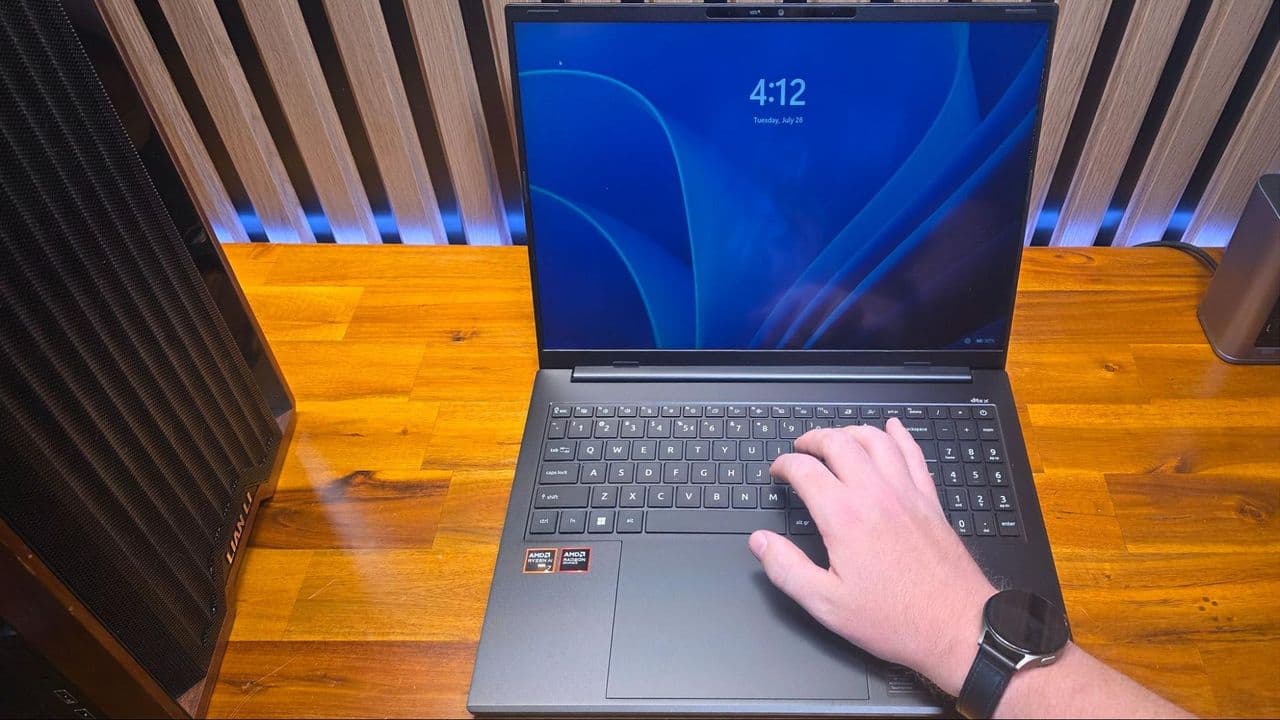
A curious laptop glitch that baffled a veteran reviewer for Tom's Hardware turned out to have a simple culprit: a magnetic watch band. While testing the Acer Swift Go 16 AI, the reporter noticed the screen would frequently go black and return to the Windows lock screen. After a colleague suggested the cause, it became clear that the magnetic clasp on a personal watch was triggering the laptop's lid sensor. This issue, though rare, highlights a hidden vulnerability in modern laptop design that may affect some users.
The Accidental Discovery
Review units sometimes behave strangely, but the Acer Swift Go 16 AI initially seemed faulty. The screen would flash black, and Windows would lock the system, kicking the user to the lock screen. The reporter tried a full system reset and even received a second replacement unit. The problem persisted until a colleague, Tom's Guide lab tester Arif Bacchus, pointed out the watch.
The reporter had been wearing a Galaxy Watch 7 with a magnetic clasp band, a purchase made in May of last year. The magnet on the clasp sits just behind the right wrist. When the hand moved across the lower-right edge of the laptop, the sensor detected the magnetic field and triggered the lock. Testing confirmed the same behavior with a fridge magnet, a magnetic Qi2 accessory and an Apple Watch with a magnetic band.
This is not a widespread issue but has been documented in forums. Discussions on Reddit, Apple and Dell communities show similar cases where magnetic accessories interfere with laptop lid sensors. The Acer Swift Go 16 AI uses a magnet embedded in the upper-right bezel, with corresponding sensors in the deck. The setup is common among many laptops, but the specific placement makes this model more susceptible when a watch magnet aligns with the sensor area.
Who Is Affected
Not every laptop user will encounter this problem. The reporter tested four other laptops from Dell, Apple, Lenovo and Framework and could not replicate the issue. The combination of a magnetic band, a watch worn on the right wrist (or left wrist for left-handed typists) and a laptop with a sensitive lid sensor creates the perfect storm. Users with standard buckle straps or non-magnetic clasps are unlikely to experience trouble.
The key factor is the position of the wrist during typing. A right-handed user wearing a watch on the left wrist keeps the magnet far from the typical sensor area near the palm rest. But the reporter is right-handed and wears the watch on the right wrist, bringing the magnetic clasp directly over the sensor zone. This specific habit explains why the issue went unnoticed for months despite handling dozens of laptops at trade shows.
Why This Matters
While this is a niche problem, it reveals an important design consideration for the growing number of mobile professionals who rely on laptops and wearable accessories. The hall-effect sensor is a simple, reliable way to detect lid closure, but it can be fooled by external magnetic fields. As magnetic accessories become more common, laptop manufacturers should evaluate sensor sensitivity and location to prevent accidental lockouts.
For users, the takeaway is clear: if your laptop frequently locks without reason, check your wrist. This issue is easy to diagnose and can save hours of troubleshooting or an unnecessary return. The reporter's experience turned a potential RMA into a simple lifestyle adjustment, and it serves as a reminder that technology interactions are not always what they seem.