Editor: Porcia Akua Holmes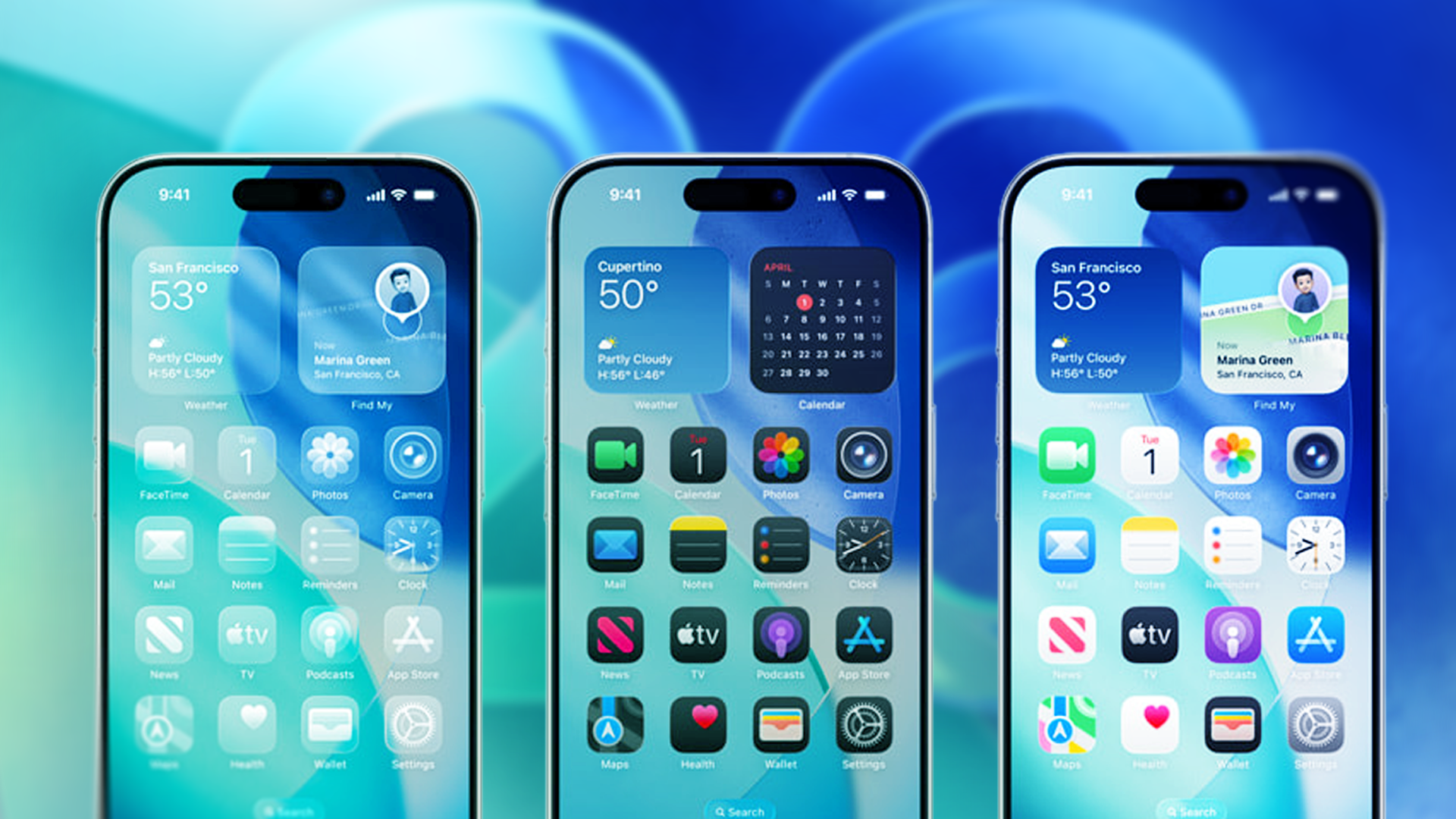
The demand for personalized smartphones is reshaping how people interact with their devices. For years, iPhone users envied Android’s freedom to rearrange every pixel. Now Apple’s latest iOS versions close that gap by offering deeper ways to customize your home screen and apps.
How iOS Expanded the Toolkit
Since iOS 14, Apple has steadily added granular controls. Users can drop widgets anywhere on the grid, stack them, and resize them. In later updates, the company allowed custom app icon shortcuts via the Shortcuts app and introduced focus modes that hide specific pages. With iOS 16 and beyond, the lock screen gained its own layer of fonts, widgets, and depth effects.
Key customization elements now include:
Why This Matters
This shift signals a broader industry move. Smartphone makers recognize that software identity drives loyalty. By letting users customize your home screen and apps deeply, Apple keeps users inside its ecosystem longer. For businesses, branded widget designs become a new ad channel. For individuals, daily digital environments feel more intentional rather than dictated. The real impact lies in how personalization reduces friction: finding the right tool becomes instinctive when your screen looks like you designed it.
What Users Should Consider
Before diving in, understand two trade-offs. First, custom shortcuts created through Shortcuts may launch with a slight delay compared to native apps. Second, heavy widget stacks can slow old iPhones. Still, for most users running iOS 16 or newer, the performance impact is minimal. Apple continues to refine the backend code with each update.
Developers also benefit. App Clip widgets and interactive Live Activities give brands persistent presence on the locked screen. Expect more companies to invest in widget designs as user attention shifts further toward glanceable information.