Senior Editor: Alan Agbele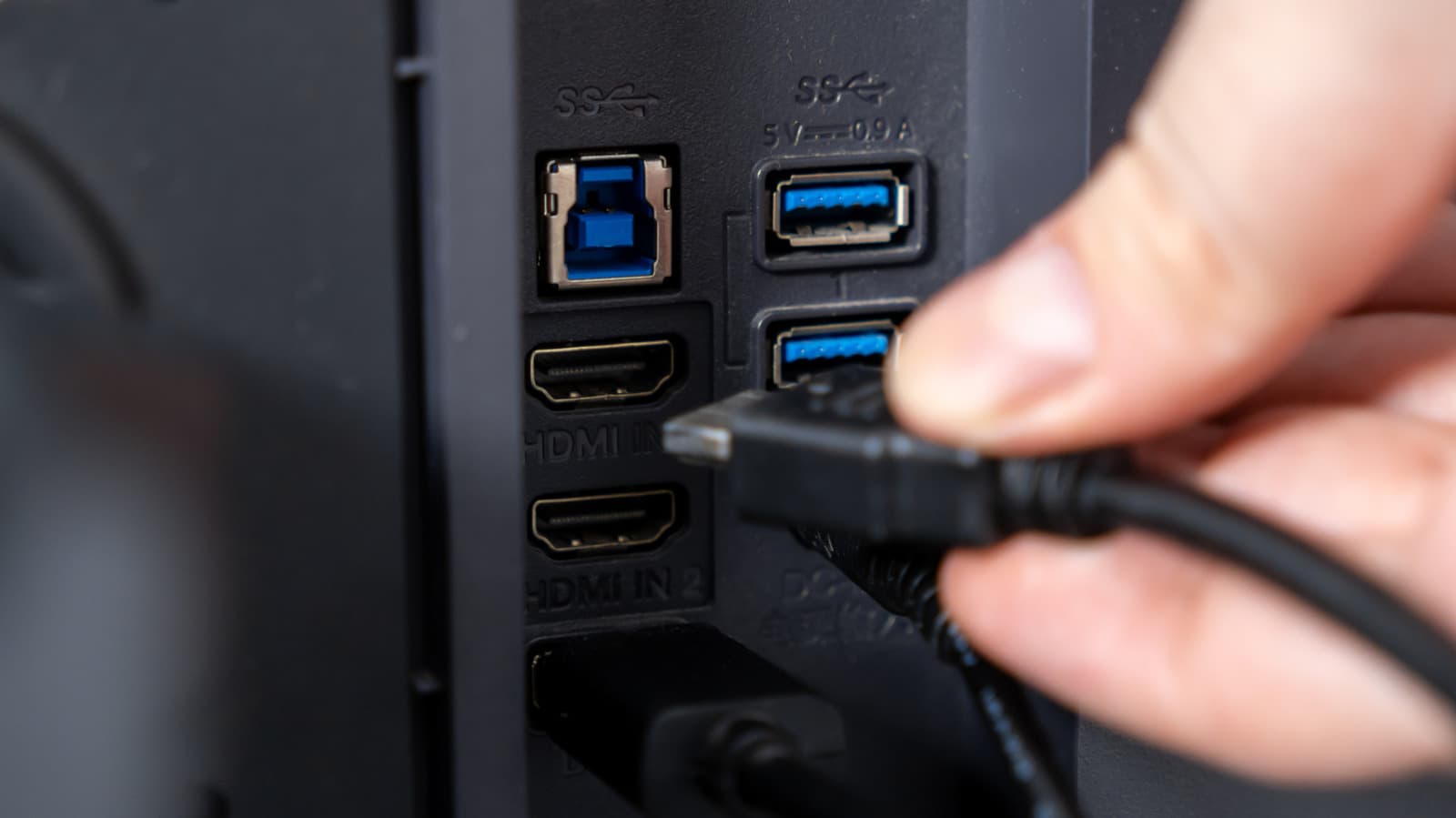
Many modern monitors now include two or more USB ports that function as a built-in hub. This design lets users connect keyboards, mice, webcams and other peripherals directly to the display instead of reaching for ports on the computer itself. The shift may seem minor, but it fundamentally changes how people organize their desks and interact with their machines.
The Built-In Hub Advantage
A monitor with a USB hub typically connects to the computer via a single USB-B or USB-C cable. That one cable carries both data and, in some cases, power to connected peripherals. Users can plug a mouse, keyboard, headset and external storage into the monitor and have everything work the instant the monitor is connected to the computer.
This design is particularly valuable for users who work from home or share a desk. Instead of hunting for USB ports on the back of a tower, everything is accessible from the monitor’s side or bottom edge.
Why This Matters
The rise of monitor-based USB hubs signals a shift toward peripheral consolidation. For everyday users, this means fewer cables to manage and a cleaner workspace. For IT departments and remote workers, it simplifies hot-desking and laptop docking without requiring a separate docking station. The real impact, however, is on ergonomics and efficiency. By moving ports to eye level and within arm’s reach, monitor hubs reduce physical strain and minimize desk clutter. As more monitors adopt USB-C with power delivery, the hub may eventually eliminate the need for a dedicated docking station entirely, saving cost and desk space.
Choosing the Right Setup
Not all monitor USB hubs are equal. Older monitors may use USB 2.0 speeds, which are fine for a mouse or keyboard but too slow for external drives. Newer models often include USB 3.0 or USB-C with speeds up to 10 Gbps. Some monitors also provide pass-through charging, letting the hub power a laptop via the same upstream cable. Buyers should check the monitor’s specifications to ensure the hub meets their speed and power needs before purchasing.
The move to integrated hubs reflects a broader industry trend toward simplified, modular workspaces. As remote and hybrid work continues, the monitor is increasingly becoming the central connection point for the entire desk.