Senior Editor: Alan Agbele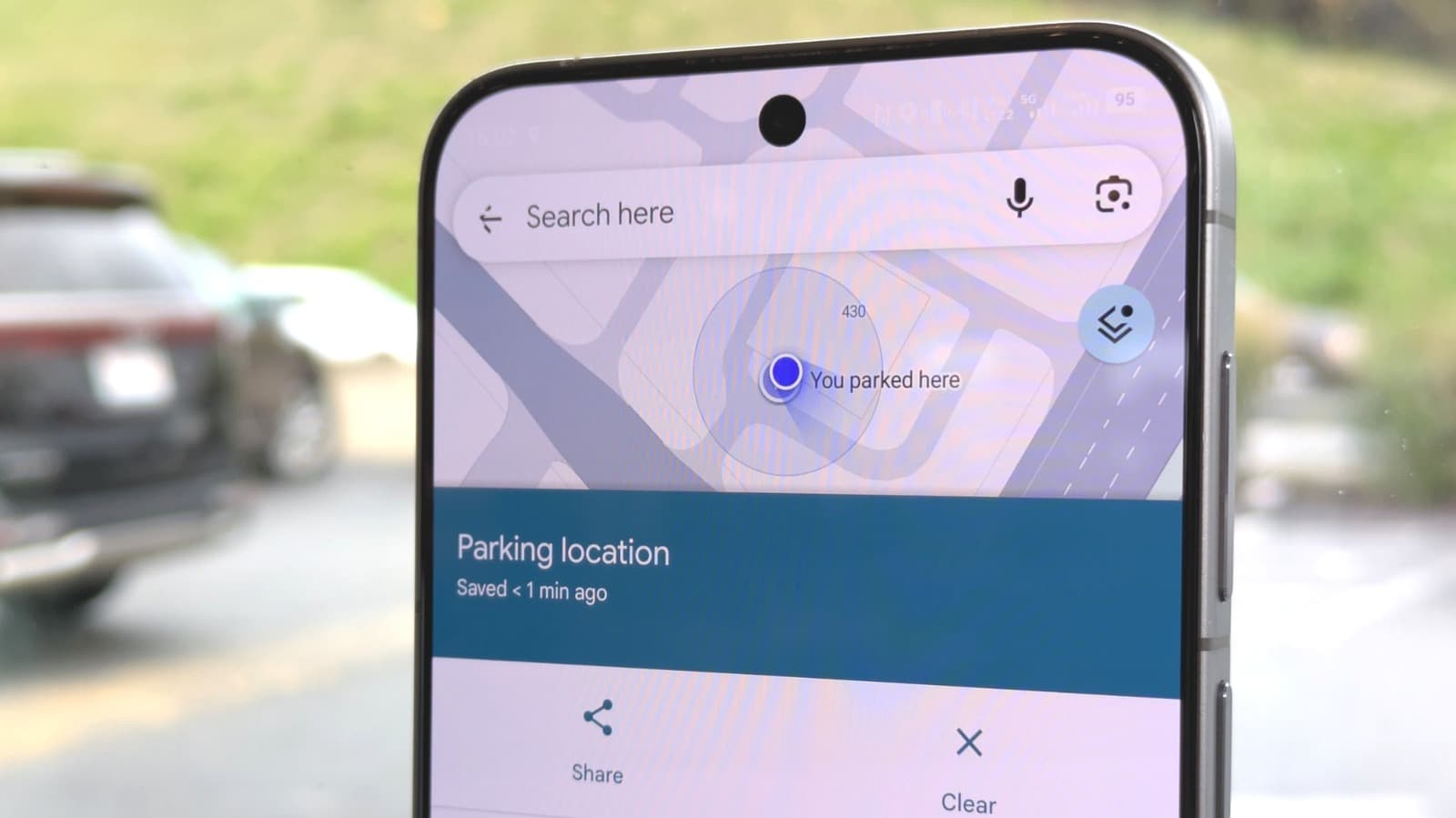
Google Maps has long offered a simple solution for one of the most common driver annoyances: forgetting where the car is parked. The navigation app includes a built-in parking location marker that eliminates the need for third-party apps or manual notes. The feature is available on both iOS and Android and integrates seamlessly with the main navigation screen.
How the Feature Works
When a driver stops the car and checks Google Maps, a blue dot appears representing the current location. Tapping the blue dot reveals a "Save parking" option. Selecting it drops a labeled pin on the map. The pin displays the address and allows adding notes or photos, such as a picture of the parking spot number.
Later, the saved location appears as a persistent card at the bottom of the screen. A tap on the card launches walking navigation back to the car. Users who park in garages can even note the floor and row. The feature, sometimes referred to as "Never Forget Where You Parked With This Simple Google Maps Solution Next, Google Maps," has been part of the app for years but remains underused.
Why This Matters
The parking location marker is more than a convenience. For frequent travelers or drivers in unfamiliar cities, the tool reduces stress and saves time. It also demonstrates how Google Maps evolves beyond navigation toward a comprehensive mobility assistant. By adding small but practical features, Google strengthens user loyalty and keeps drivers inside its ecosystem rather than turning to competing apps or separate parking services. The feature also has accessibility benefits for older adults or those with memory concerns, offering a simple digital safety net.
Comparison With Other Options
While some automakers offer similar functions through built-in navigation systems, Google Maps works across vehicles and smartphones. Third-party parking apps often require registration or display ads. Google Maps integrates the parking marker with its existing map data and voice guidance. Users on iOS and Android receive identical functionality, making the tool platform-agnostic. The only requirement is that the smartphone’s location services remain active and the Google Maps app has proper permissions.
Setting Up the Feature
No setup is needed beyond ensuring the app is updated to the latest version. The parking option appears automatically when the device detects it has stopped moving. Users can verify that location history is enabled for full functionality. Google offers additional guidance in its support pages, but the core process works straight out of the box. Drivers should check that the app has location access set to "Always" to ensure the parking save prompt appears reliably.