Google's Android Auto has long been a staple for drivers who want navigation, music and messaging on their car's display. However, many users stick with the default layout, unaware that the platform offers far more control than meets the eye.
Recent updates have quietly expanded what drivers can change. From rearranging app shortcuts to swapping out the entire launcher, Android Auto now supports a level of personalization that rivals smartphone home screens.
Beyond the basics
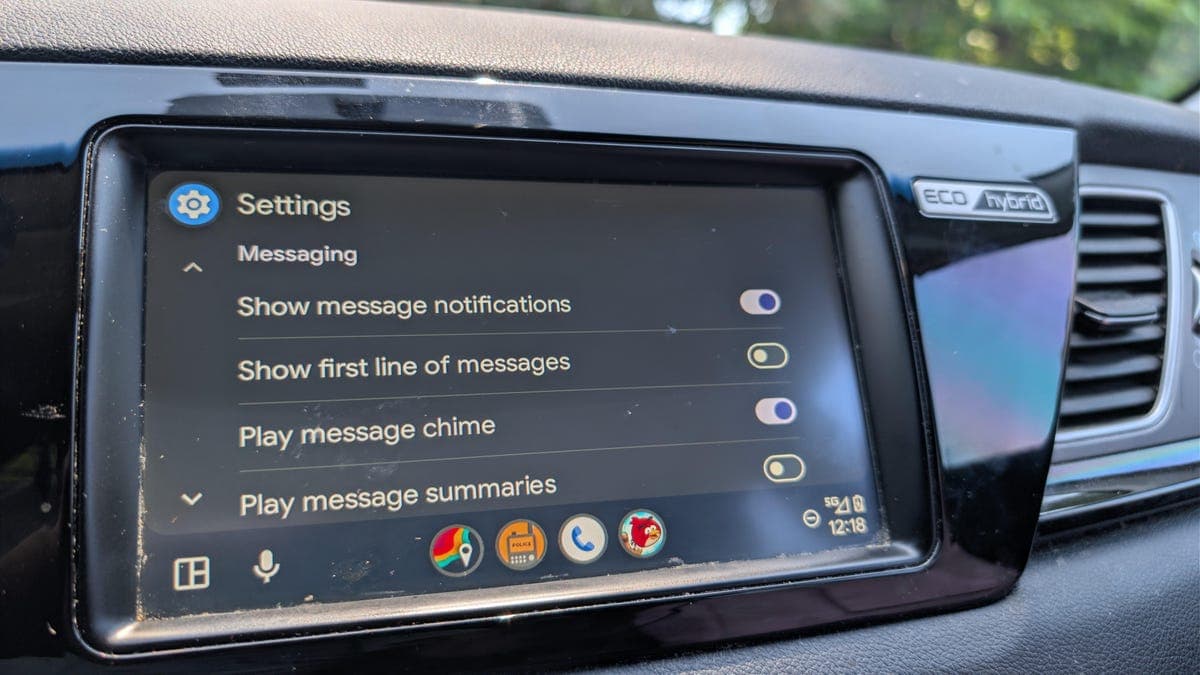
The most obvious tweaks live in Android Auto's settings menu. Users can reorder apps on the main screen, hide unused ones and adjust notification preferences but the real power lies in developer options.
Enabling developer mode requires tapping the version number in settings multiple times. Once active, drivers gain access to experimental features like adjustable screen density and custom video resolution. These settings can make icons larger or smaller and change how much content fits on screen at once.
Third party launchers
For those who want a completely different look, third party launchers offer a full redesign. Apps like CarStream and AA Mirror allow users to run any Android app on their car display, including video streaming services and custom dashboards.
These tools require sideloading and some technical know how but they unlock capabilities Google has not officially supported, such as resizable widgets and alternative navigation bars.
Wallpaper and theme support
Android Auto does not natively support wallpaper changes. However, using third party tools like AA Wallpaper or Tasker automation scripts, drivers can set custom backgrounds that appear behind their apps.
The process involves granting permission for overlay displays and selecting an image from storage. The result is a dashboard that reflects personal style rather than Google's default dark interface.
Why this matters
Car infotainment systems are often locked down by manufacturers. Android Auto's customization options give drivers back some control over their driving environment without requiring root access or voiding warranties.
A personalized interface can reduce distraction by placing frequently used controls exactly where needed. It also extends the life of older vehicles by bringing modern software flexibility to factory head units that would otherwise feel outdated.
The trade offs
Sideloading apps always carries risk. Unofficial tools may not receive security updates or could conflict with future Android Auto releases. Google also warns that developer mode features are experimental and may cause instability.Drivers should weigh convenience against safety before making major changes to their in car display setup.